
Our Vision
The goal of this project is to develop an Android application to simplify and combine scheduling features that allow user interaction and convenient navigation. The application will have features that allow users to:
- create events
- send invites
- communicate with event attendees
- manage friend groups
- save favorite events to enable one-touch creation
- allow GPS broadcasting within a specific event
These features take the convenient features among existing scheduling applications while adding more features and make user interaction/navigation as simple as possible.
Our Progress
In the beginning of the application development, the Localhop team gathered to discuss the layout of this application. Everything from the result of the swipe of a user’s finger to the implementation of the database and server were discussed in detail. This was done thoroughly to avoid conflict and confusion in the implementation phase.
UI has been a huge focus during the initial planning stages of Localhop. We discussed features that are most useful to users and what could be practical in a scheduling application that has not been seen yet. Rather than using a developers perspective, we tried to develop this application from a user’s perspective so that the end product would be more user friendly and efficient.
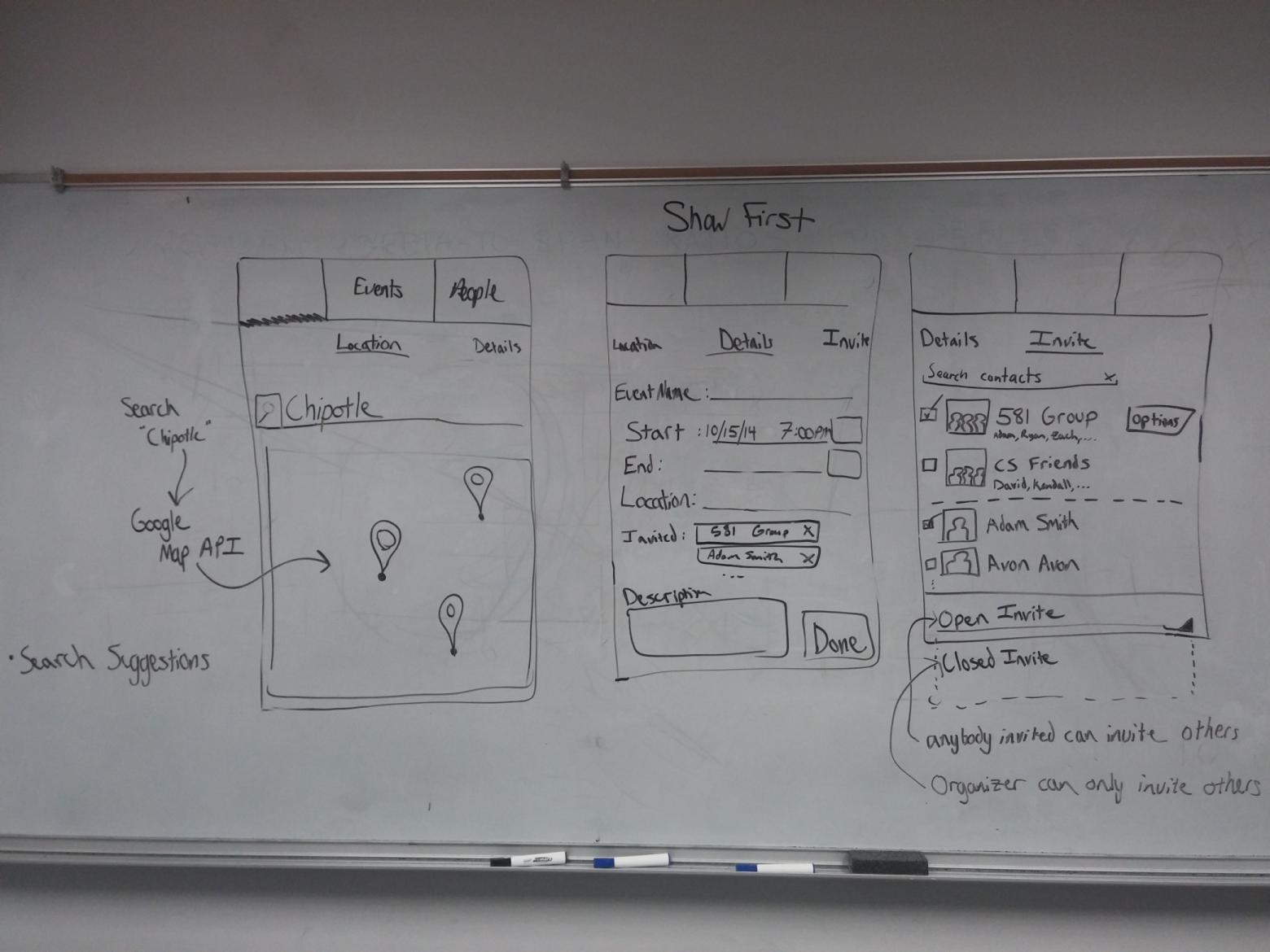
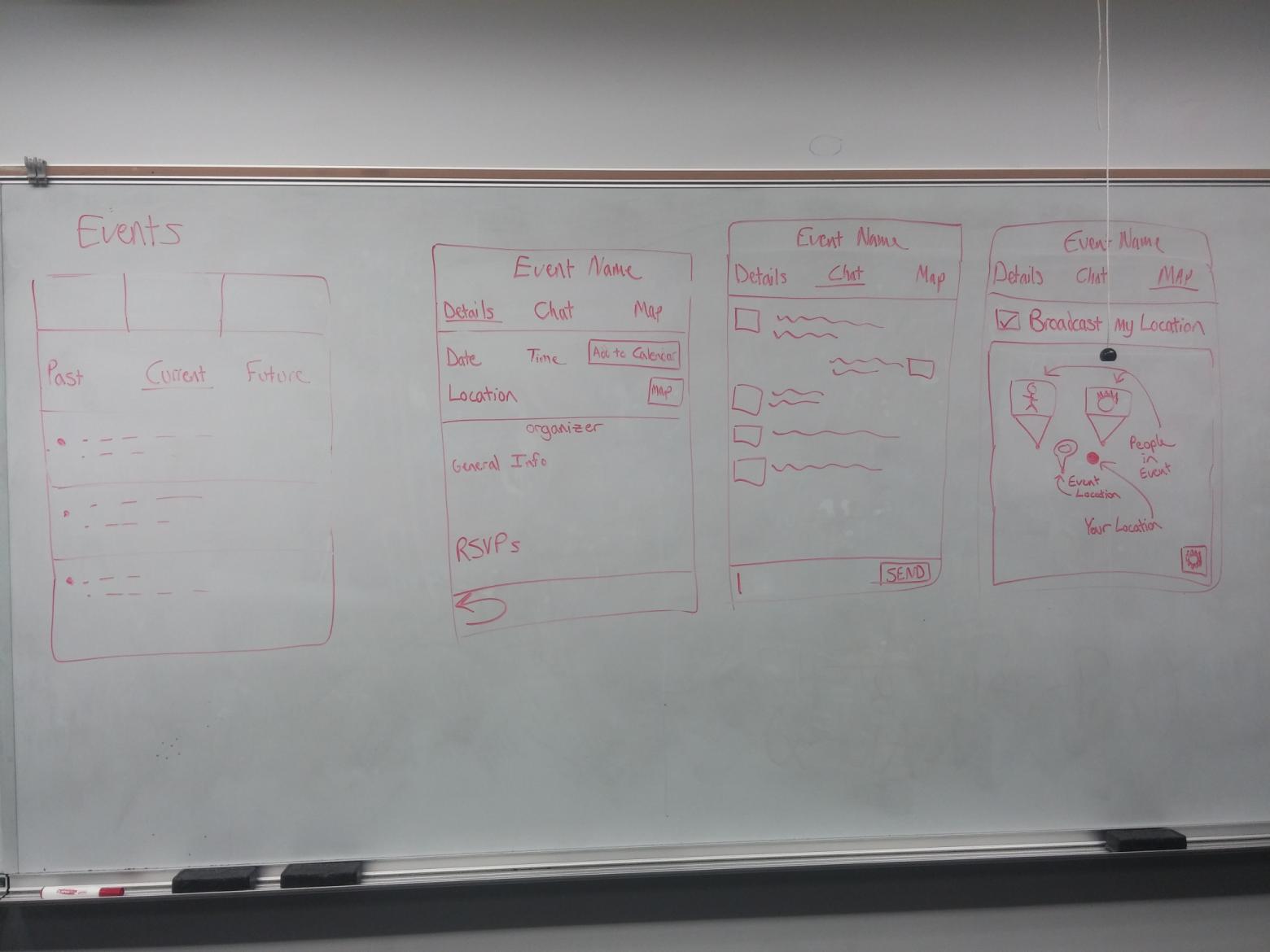
We spent many early mornings in Learned making whiteboard sketches and discussing UX.
After developing some mockups, we then detailed the necessary fields and tables for the database.
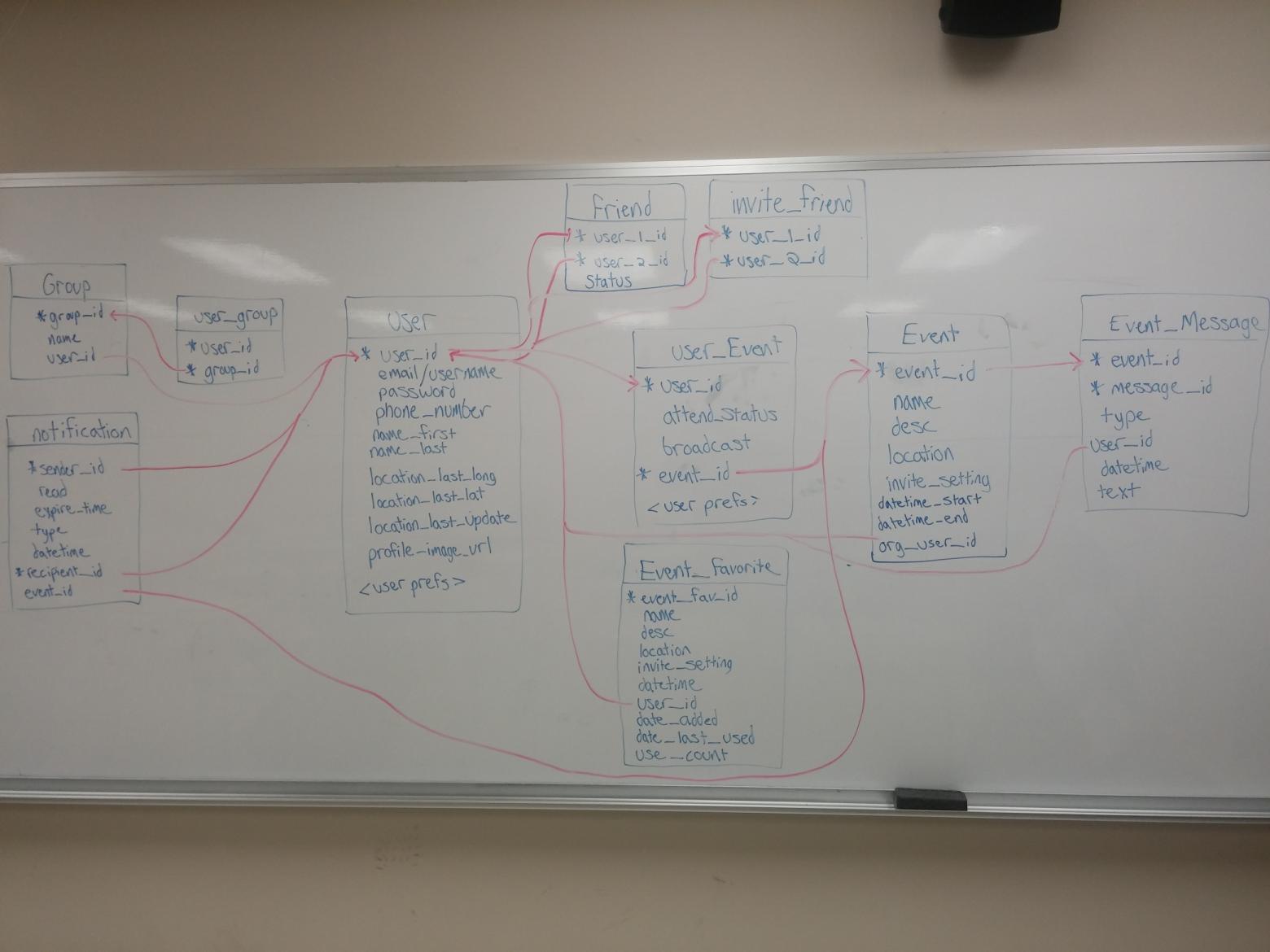
The database schema in its early stages
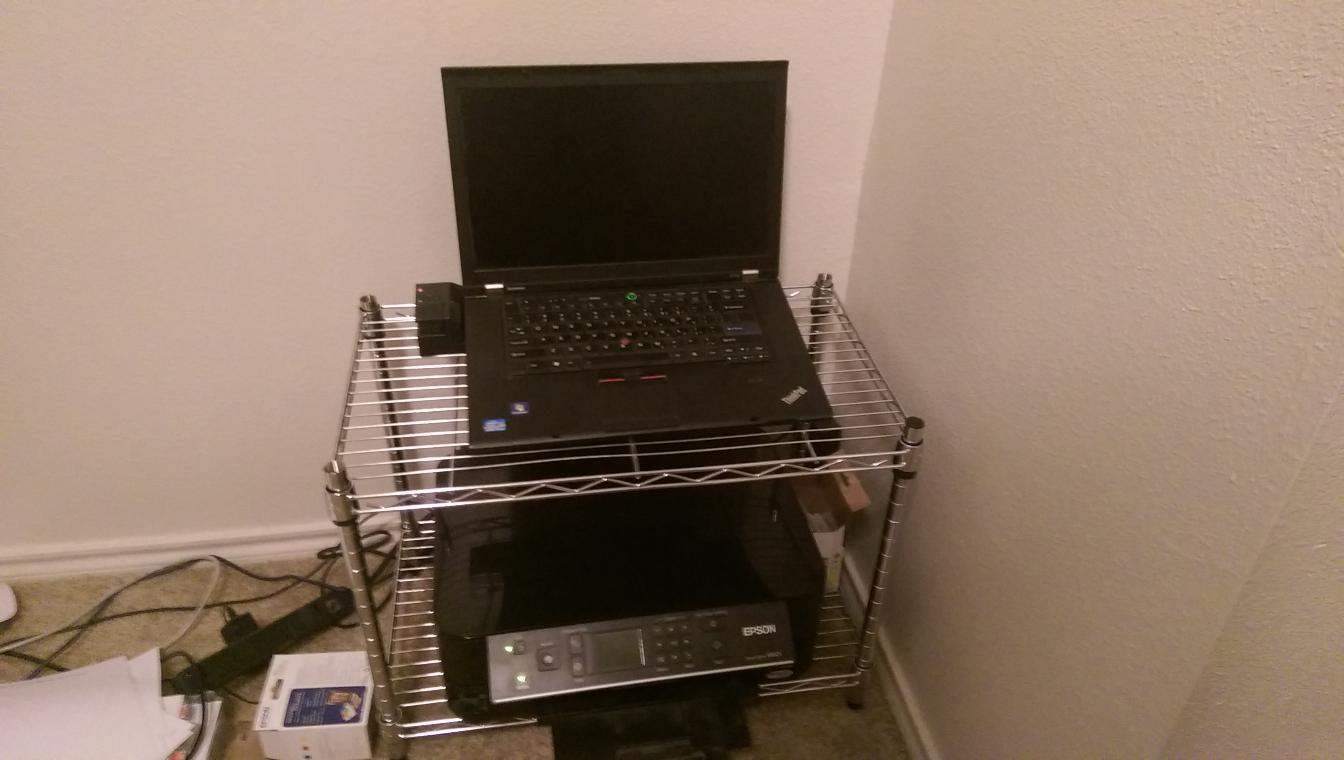
The MySQL database and node.js web server are nearly complete and are currently running on a laptop in Adam’s apartment.
The application so far has a completed create event details page, invite page, calendar listings of past, today, and future events, event details page, and user login page.
Development of the client has had its fair share of challenges, however. We attempted to use a variety of different activity layouts in the app, such as ones with swipeable tabs. Unfortunately, doing so poses some technical challenges, as the data from fields across different tabs can be tricky to access when the focus is on a different tab. Thankfully, we’ve discovered a workaround for this, so some progress has been made.
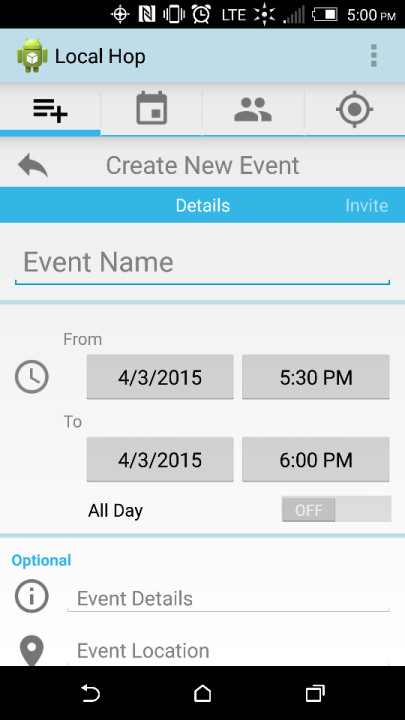
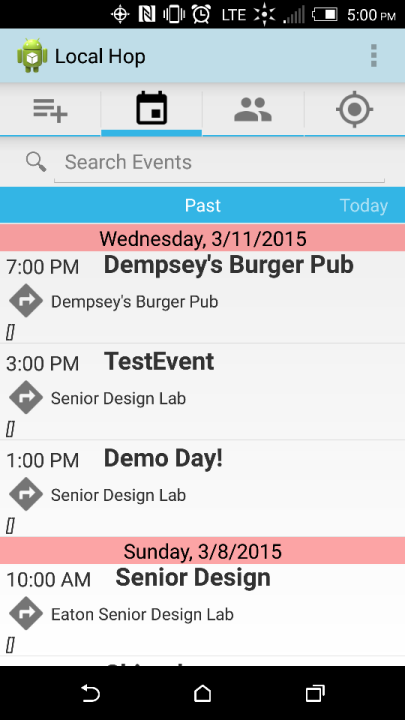
Screenshots of the event creation and event list pages.
Future Development
Event messaging, one-touch event creation, and GPS tracking have not yet been implemented. Event messaging allows users attending an event to communicate specific details of an event with the other attendees. One-touch event creation allows the user to save an event as a favorite event and either send out an invite with all details the same as when the event was “favorited” with the “now” button or to open the event with the saved details so that the user can simply modify the things that will change (ie. location, invites, time, description.) GPS tracking promotes safety and convenience by allowing users the option to show their location to specific people or to the entire group of attendees within an event.
Wrapping Up
As a team, we feel that the planning phase of this project was very successful. The development phase started slowly but has begun to gain momentum and we are optimistic that we will make significant progress before the end of the year. Our team members have all expressed interest in continuing the development of Localhop after graduation.
– The Localhop Team
