Local Hop: A year in review

Our original vision

Our group set out to construct a mobile app for event planning and real-time coordination to help users gather socially with friends and family. We aimed to address planning problems typically associated with group text messages and Facebook events. We planned features such as event group chat, event participant GPS tracking, and one-touch event creation.

What we have

What we ended up with is our first foray into Android programming. Although we do not have a polished final product, this was an excellent learning experience. What we do have is a basic shell. Users can create and view events as well as see their location on Google Maps. Additionally, Local Hop has a well-designed database and a completed node.js server.

Local Hop Demo Video

What went well

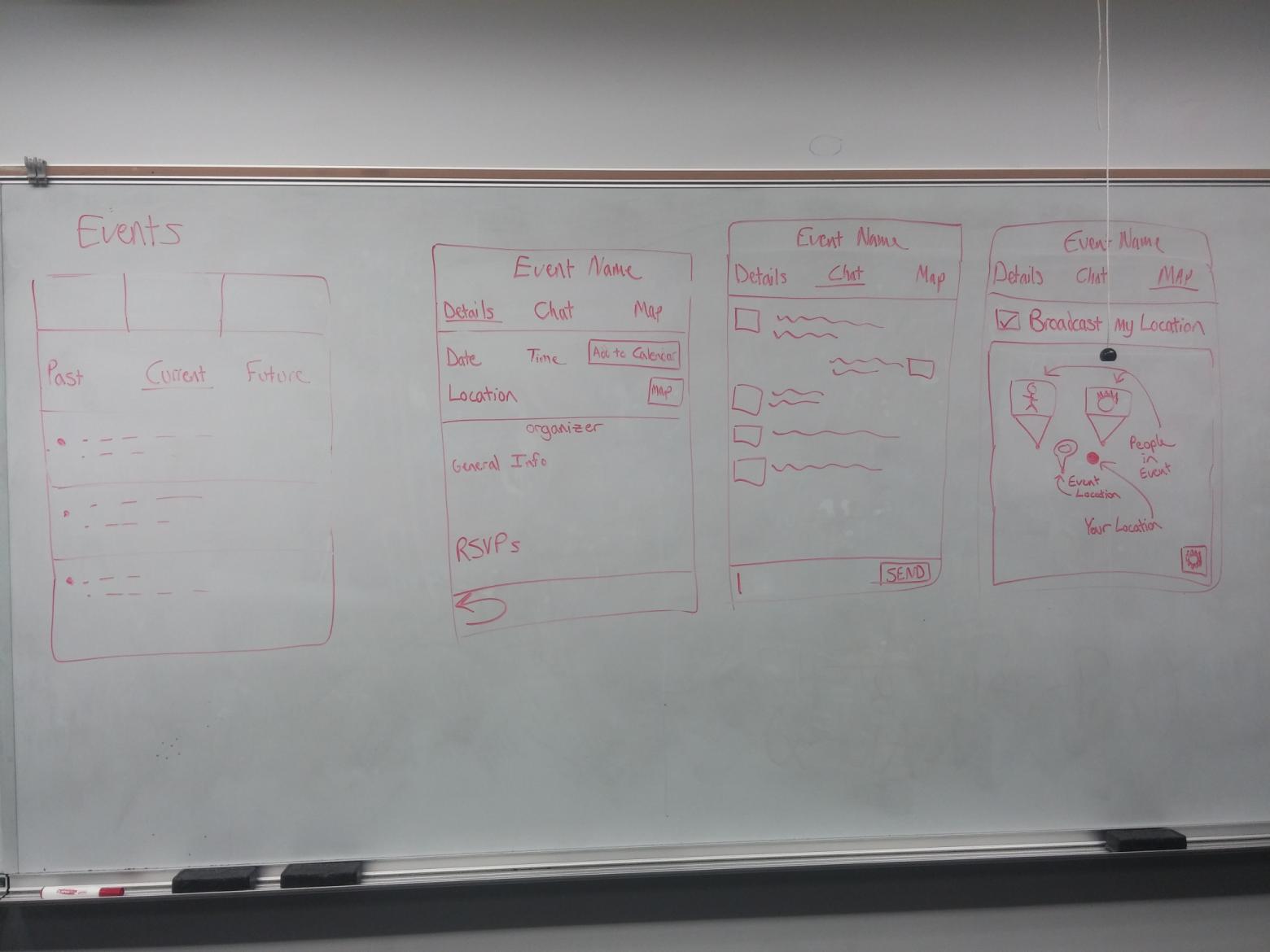
The most successful part of our project was our initial design and planning. “} The behaviour of the application was discussed in great detail. UI design was a huge focus because we wanted to create an application that was intuitive and useful.
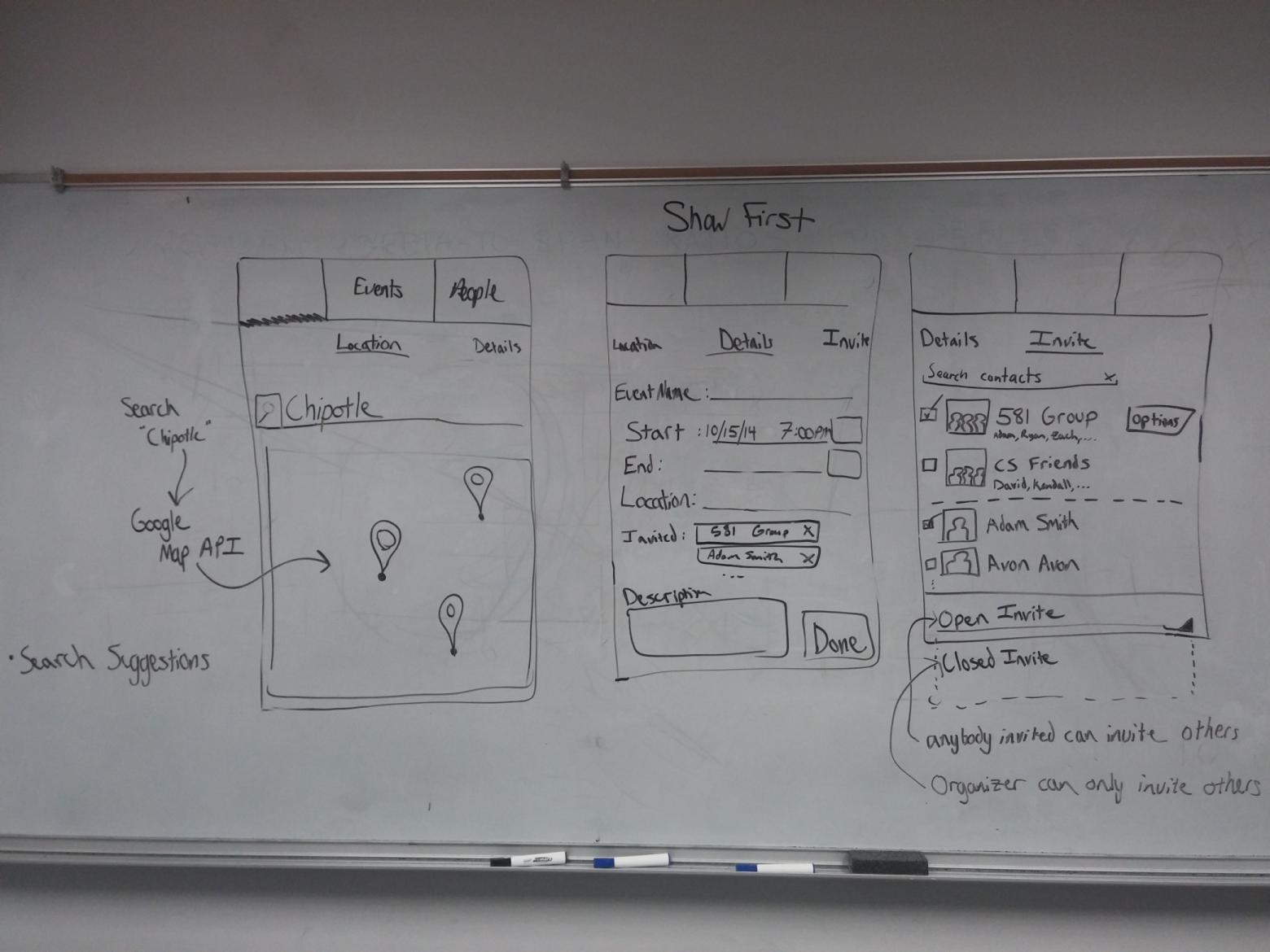
UX1

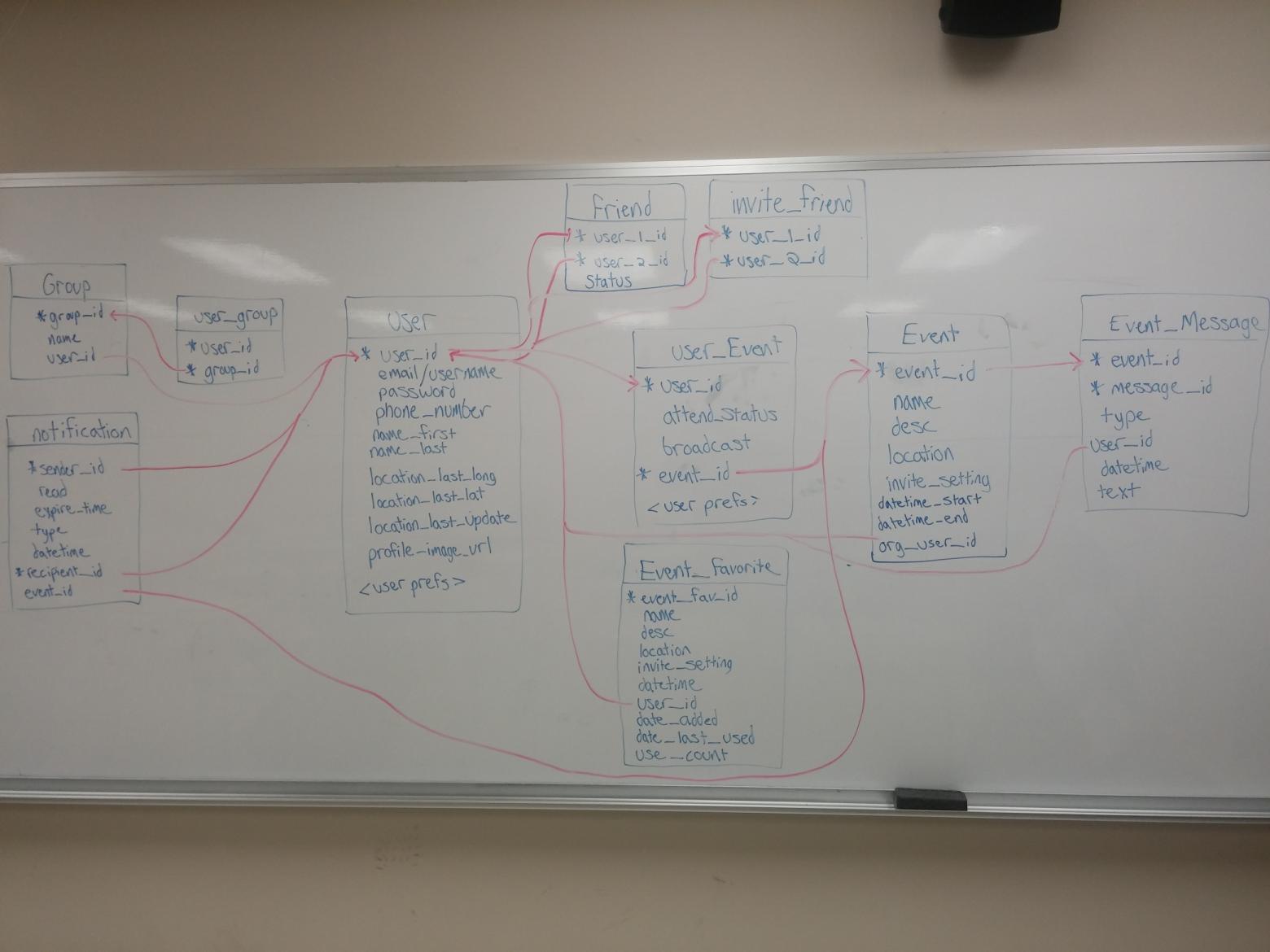
DB Schema

What didn’t go well

Despite our ambitious plans, we encountered several roadblocks when trying to implement many of our proposed features.

To a great extent, one of our greatest obstacles was overcoming idiosyncrasies in the Android UI model. One particular example emerged when we attempted to implement an automatic friend invitation system in Local Hop. The event creation tab lists both groups and and individual friends, with the ability to check a group or a friend:
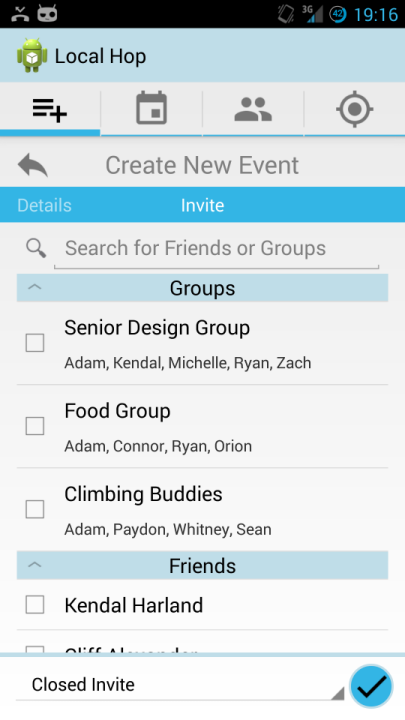
Checkboxes, yo

An issue occurs when you try to check a group though: what happens to the checkboxes if the individual people that constitute the group? Ideally, when you check a group, everyone in that group would be selected. We set out intrepidly to implement this… …and ran headfirst into a brick wall. Trying to make another checkbox change its state in response to a different checkbox being checked proved to be a frustrating, near-impossible task. We never fully resolved the issue, but after reading countless Stack Overflow posts, we concluded that the issue arises when checkboxes are used within a ListView widget.

A ListView recycles its UI elements for efficiency purposes. Suppose you have an unchecked box. If you were to change that box’s state to “checked” within a ListView, it wouldn’t immediately appear checked to the user—it would appear as if nothing happened. If you scrolled through the ListView such that that particular box went out of view, and then scrolled back, the checkbox would now appear checked! Apparently, this is because the ListView schedules for its UI elements to be redrawn only when not in focus, and we could not figure out how to force a redraw, even with tantalizingly named ListView methods such as .refreshDrawableState() or .invalidate().

This was far from our only UI-related impediment. Throughout development, we kept falling into subtle UI traps like this when trying to implement seemingly simple things, which cost us a significant amount of developer hours. Mastering Android’s quirks could be its own semester-long project, if not longer.

What didn’t/Future Plans

Due to our over-ambitious goals and the issues we encountered while developing core features, we were unable to develop features including friend/group management, group chat, one-touch event creation, and settings management.
Mid-semester update

Our Vision

The goal of this project is to develop an Android application to simplify and combine scheduling features that allow user interaction and convenient navigation. The application will have features that allow users to:

  • create events
  • send invites
  • communicate with event attendees
  • manage friend groups
  • save favorite events to enable one-touch creation
  • allow GPS broadcasting within a specific event

These features take the convenient features among existing scheduling applications while adding more features and make user interaction/navigation as simple as possible.

Our Progress

In the beginning of the application development, the Localhop team gathered to discuss the layout of this application. Everything from the result of the swipe of a user’s finger to the implementation of the database and server were discussed in detail. This was done thoroughly to avoid conflict and confusion in the implementation phase.

UI has been a huge focus during the initial planning stages of Localhop. We discussed features that are most useful to users and what could be practical in a scheduling application that has not been seen yet. Rather than using a developers perspective, we tried to develop this application from a user’s perspective so that the end product would be more user friendly and efficient.

UX1

UX3

We spent many early mornings in Learned making whiteboard sketches and discussing UX.

After developing some mockups, we then detailed the necessary fields and tables for the database.

DB Schema

The database schema in its early stages

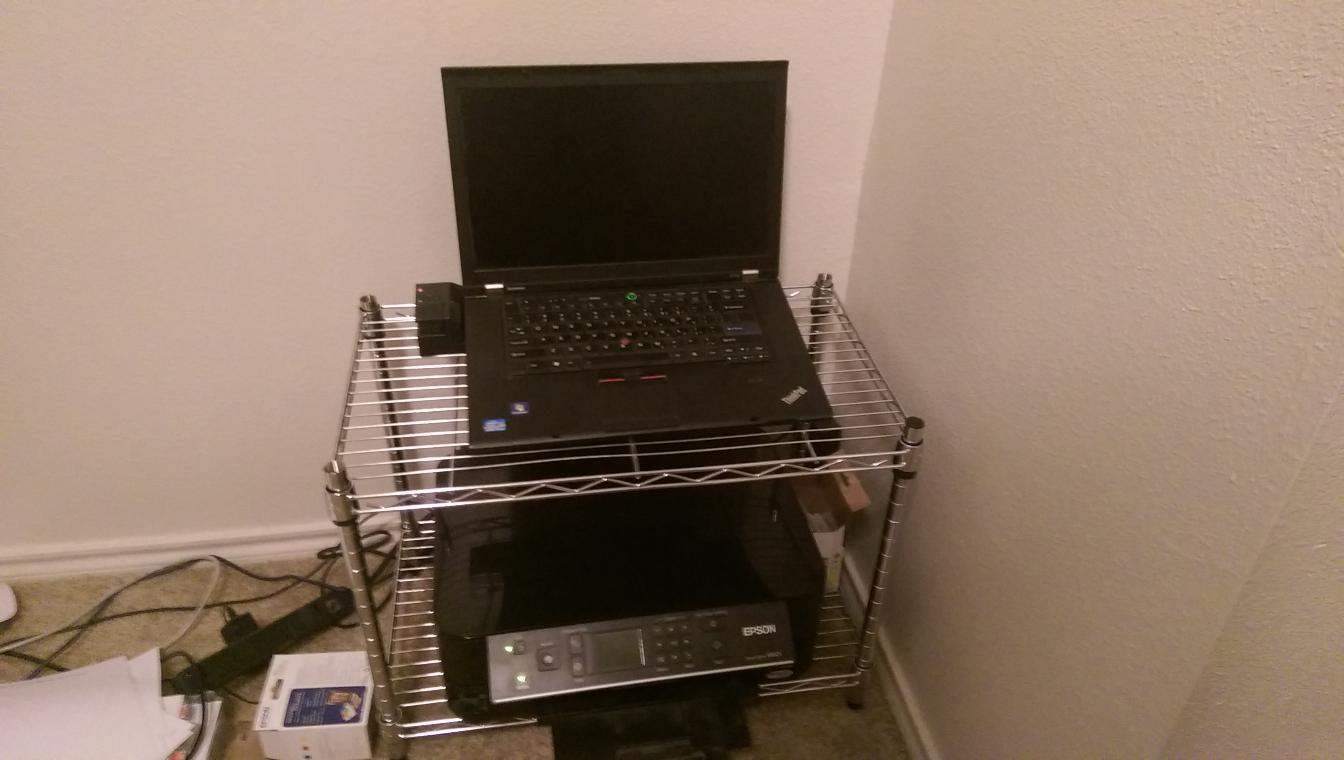
All hail the ThinkPad master race

The MySQL database and node.js web server are nearly complete and are currently running on a laptop in Adam’s apartment.

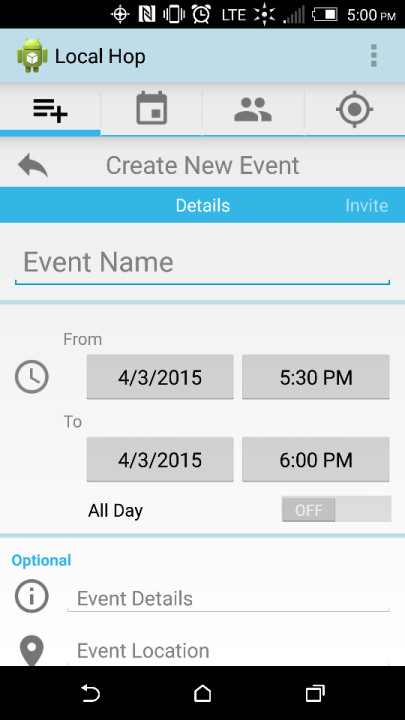
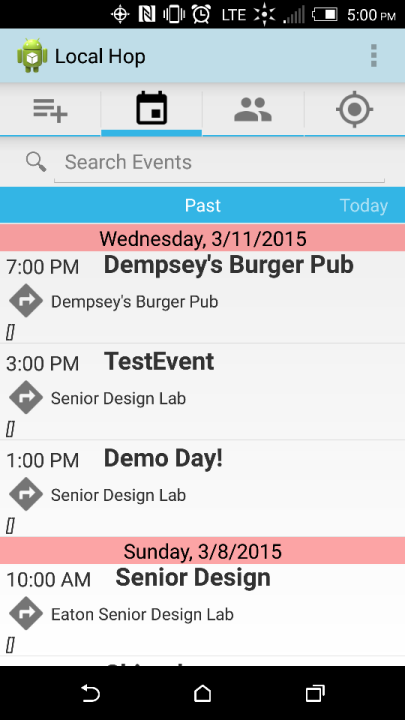
The application so far has a completed create event details page, invite page, calendar listings of past, today, and future events, event details page, and user login page.

Development of the client has had its fair share of challenges, however. We attempted to use a variety of different activity layouts in the app, such as ones with swipeable tabs. Unfortunately, doing so poses some technical challenges, as the data from fields across different tabs can be tricky to access when the focus is on a different tab. Thankfully, we’ve discovered a workaround for this, so some progress has been made.

Screenshot1 Screenshot2

Screenshots of the event creation and event list pages.

Future Development

Event messaging, one-touch event creation, and GPS tracking have not yet been implemented. Event messaging allows users attending an event to communicate specific details of an event with the other attendees. One-touch event creation allows the user to save an event as a favorite event and either send out an invite with all details the same as when the event was “favorited” with the “now” button or to open the event with the saved details so that the user can simply modify the things that will change (ie. location, invites, time, description.) GPS tracking promotes safety and convenience by allowing users the option to show their location to specific people or to the entire group of attendees within an event.

Wrapping Up

As a team, we feel that the planning phase of this project was very successful. The development phase started slowly but has begun to gain momentum and we are optimistic that we will make significant progress before the end of the year. Our team members have all expressed interest in continuing the development of Localhop after graduation.

– The Localhop Team